From boundary conditions to a preliminary engineering hydraulic report—in minutes. Map satellite alignments, generate auto-corridor alternatives, simulate HGL profiles, size pump stations, and compare indicative capital costs—all in one browser-based tool.
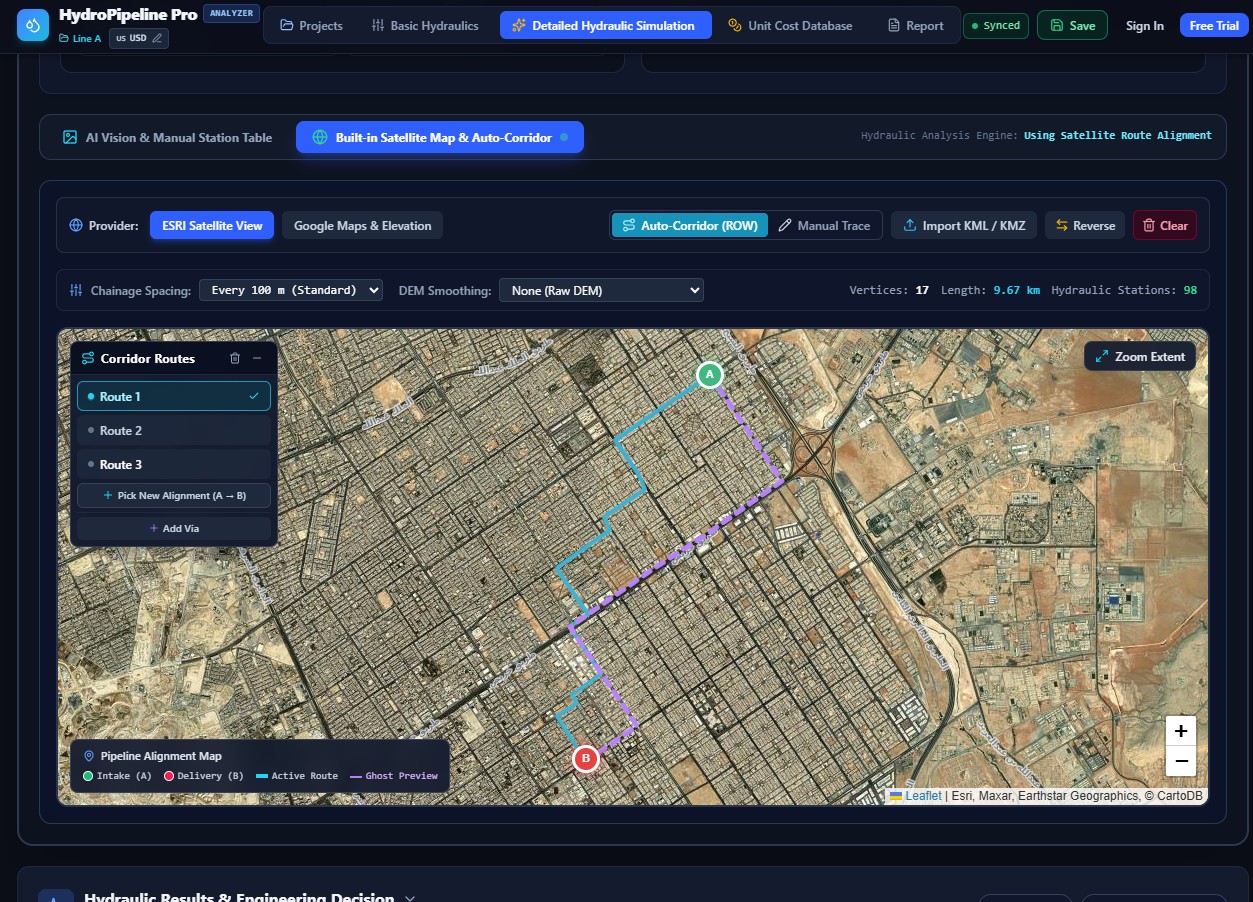
Purpose-built for water transmission concept studies. No spreadsheets, no manual HGL plotting, no separate cost tools—all combined in one platform.
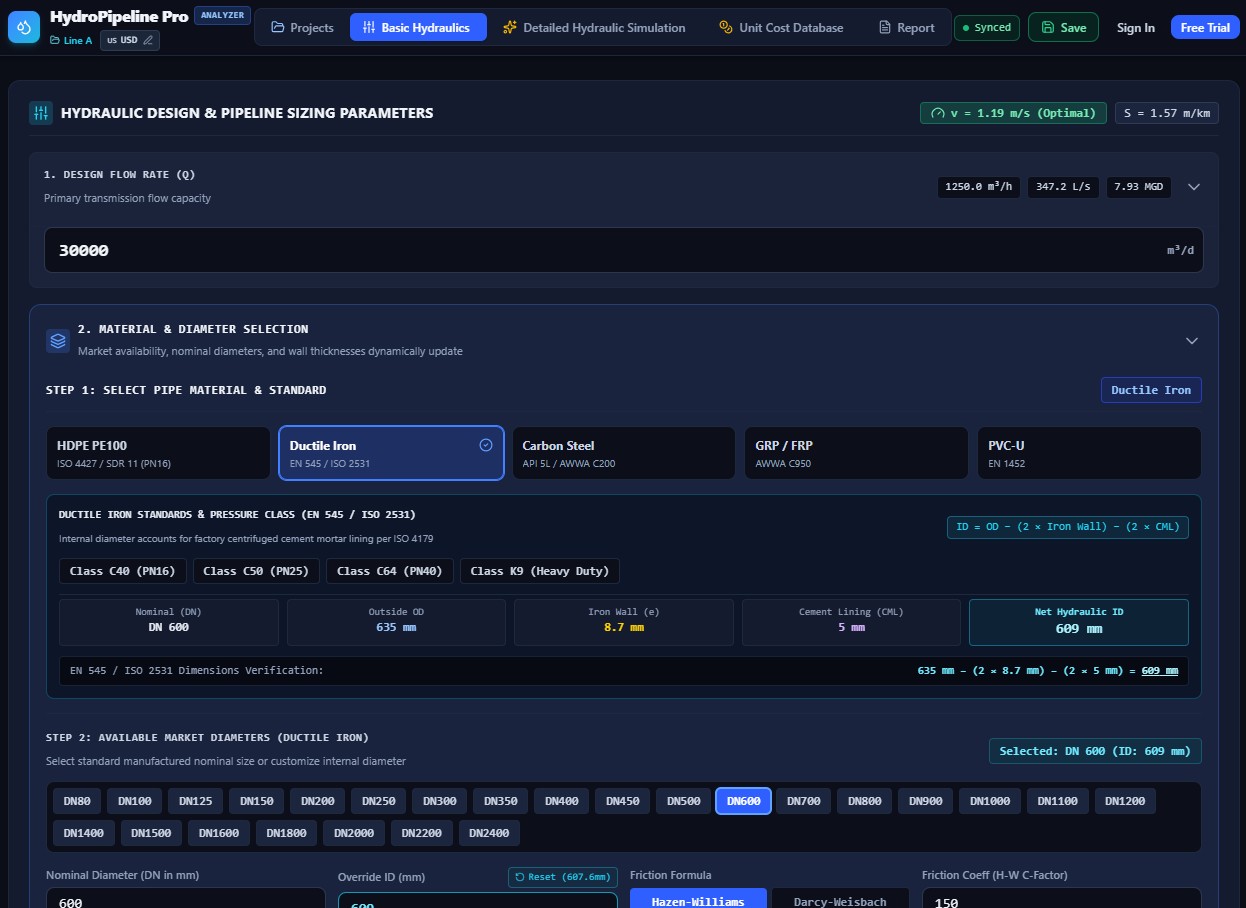
Screenshots show sample project data. Extracted profile points and calculated results require engineering verification.
A streamlined workflow for preliminary water-transmission pipeline engineering.
Draw or import an alignment, explore route alternatives, and enter flow, pipe properties, elevations, and boundary conditions.
Evaluate total dynamic head, HGL, velocities, pressure, pump sizing, diameter options, and mitigation scenarios.
Document boundary conditions, selected alignment, hydraulic profiles, pump or mitigation results, and preliminary capital cost for engineering review.
Pipeline routing and hydraulic review are often split across satellite maps, GIS tools, elevation data, and spreadsheets. HydroPipeline Pro brings them together in one workspace for clearer route comparison and preliminary engineering decisions.
Define the intake and delivery points, review the proposed routes, and select the preferred alignment yourself before sending it to hydraulic analysis.
Live ESRI & Google Maps satellite imagery with full zoom for precise corridor tracing in any terrain or urban environment.
Intelligent right-of-way corridor generation — define A & B endpoints and the engine proposes up to 3 routes.
Extract elevations along the route, and generate HGL & pressure profiling for system review along the pipeline route.
Engineering responsibility: Map-derived elevations and automated route suggestions are preliminary decision-support data. Confirm the selected alignment and elevations against approved survey information.
Open Route Workspace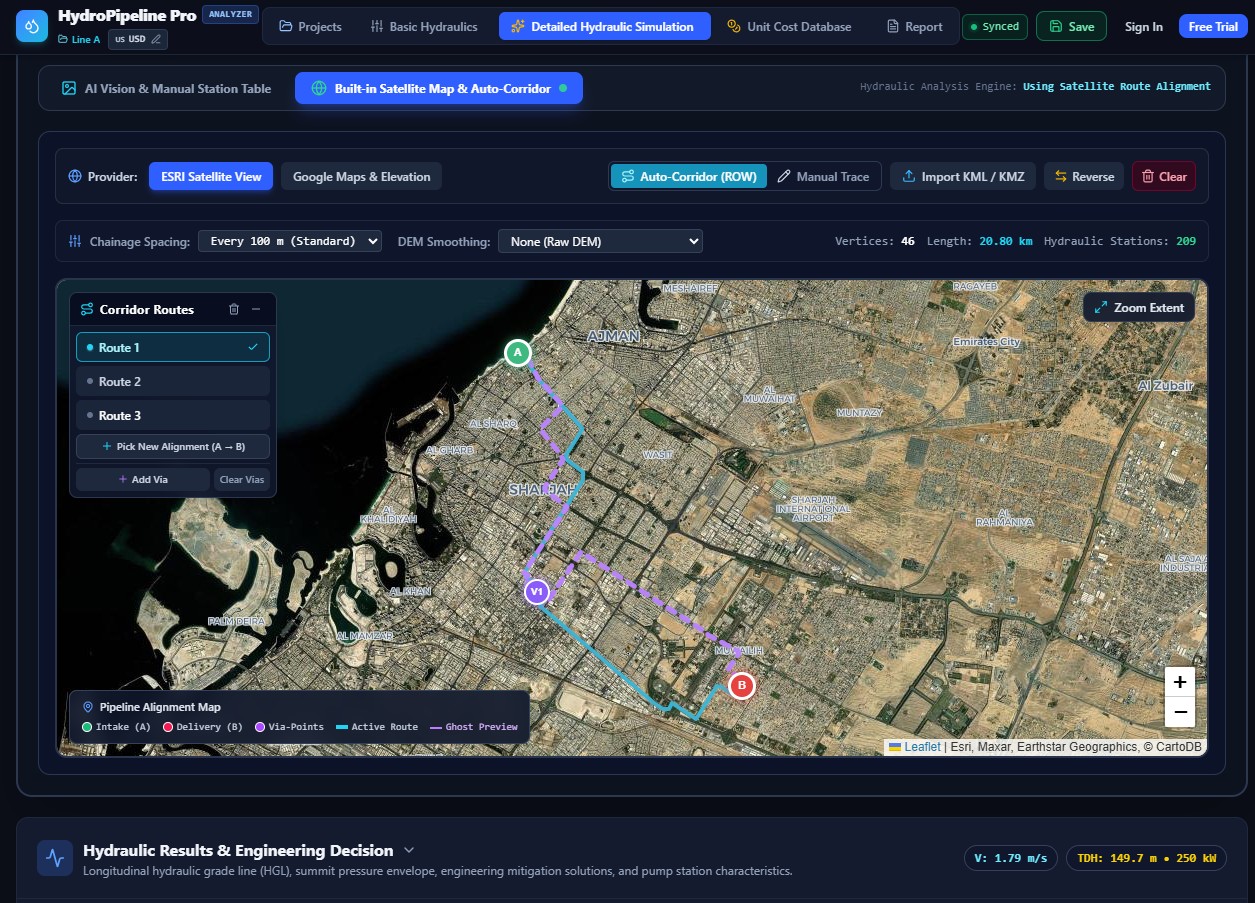
Choose monthly or annual billing, then go to the app to create an account or manage your subscription.
Core hydraulic calculations for initial feasibility checks.
For hydraulic engineers needing pump sizing, optimization, and option comparisons.
Complete pipeline hydraulic analysis with route alternatives, HGL profiles, mitigation, and detailed reports.
No. The product-preview controls switch between application screenshots. They do not run calculations or change a live project.
Upload a longitudinal pipeline profile image from any engineering source; keep chainage and elevation scales visible, then review extracted station points before analysis.
Identify two or more control points, explore up to three route alternatives, review their preliminary profiles and hydraulic consequences, then select the route yourself. The software does not automatically approve or select a pipeline alignment.
No. Reports are calculation outputs for engineering review. They are not automatically certified or stamped and must be verified by a qualified professional before design, procurement, construction, or operation.
HydroPipeline Pro is purpose-built for concept, prefeasibility, and preliminary (FEED) stage analysis at ±25% cost accuracy. It is ideal for route selection, option screening, and client briefing reports. For detailed design, surge analysis, or tender-stage analysis, a dedicated hydraulic simulation package and quantity surveyor review are recommended.
Use any Go to the App button to create or access your HydroPipeline Pro account. Choose a plan inside the app, then continue to the matching Lemon Squeezy checkout. The trial, renewal, cancellation, and founding-rate terms are shown before payment.
The founding rate is for the first 100 customers and remains while the recurring subscription is continuously active. Cancellation or a payment lapse ends the rate. No lifetime license is offered.
Send a product question, report a problem, or share an improvement idea. For account creation or existing-account access, use a Go to the App button; choose a plan after signing in.
Go to the appProtect project data: Do not include confidential pipeline alignments, security-sensitive infrastructure details, or private client files in this form.
Subscription terms are presented before payment. Account access and plan selection are handled in the app, while subscription checkout is processed through Lemon Squeezy.
HydroPipeline Pro provides hydraulic analysis and engineering decision support. Users must verify inputs, assumptions, methods, and results. Outputs are not automatically certified or stamped designs.
Before paid subscriptions are offered, the operating entity, governing terms, billing and renewal conditions, taxes, cancellation process, and support contact must be published and reviewed.
Privacy details are being finalized. This page does not yet specify the hosting operator, data retention, deletion process, analytics, or the service providers used for profile extraction.
Do not submit confidential pipeline alignments, security-sensitive infrastructure details, or client files through this preview or through AI-assisted profile features until the complete data-handling notice is published.
The contact form is for general questions, feedback, and support. Do not submit payment details or confidential pipeline and client data.
Users create or access an account and choose a plan in the app. The app then opens the matching Lemon Squeezy checkout for the selected billing period.
The billing interval, amount, trial conversion, renewal, cancellation, refund, and tax terms are displayed before payment.
The founding offer is a recurring discount, not a lifetime license. Cancellation or a payment lapse ends the founding rate.